JTAG Watchpoints dialog box
In this section:
The JTAG Watchpoints dialog box is available from the driver-specific menu.
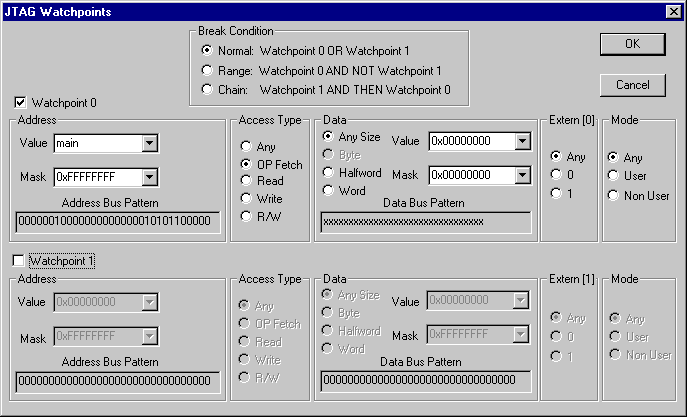
Use this dialog box to directly control the two hardware watchpoint units. If the number of needed watchpoints (including implicit watchpoints used by the breakpoint system) exceeds two, an error message will be displayed when you click the OK button. This check is also performed for the C-SPY Go button.
To cause a trigger for accesses in the range 0x20-0xFF:
Set Break Condition to Range.
Set the address value of watchpoint 0 to 0 and the mask to
0xFF.Set the address value of watchpoint 1 to 0 and the mask to
0x1F.