Symbols window
What do you want to do?
Learn about:
Learn how to:
Get related information:
Get reference information about the Symbols window; see below the line.

The Symbols window is available from the View menu.
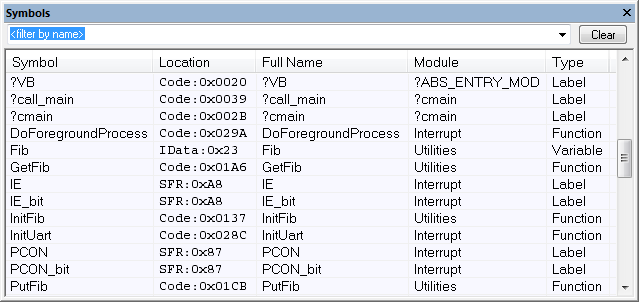
This window displays all symbols with a static location, that is, C/C++ functions, assembler labels, and variables with static storage duration, including symbols from the runtime library.
You can drag the contents of cells in the Symbol, Location, and Full Name columns and drop in some other windows in the IDE.
Context menu
This context menu is available:
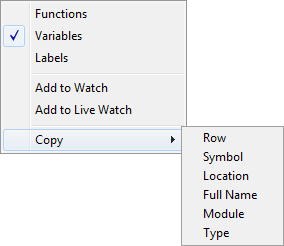
These commands are available:
- Functions
Toggles the display of function symbols on or off in the list.
- Variables
Toggles the display of variables on or off in the list.
- Labels
Toggles the display of labels on or off in the list.
- Add to Watch
Adds the selected symbol to the Watch window.
- Add to Live Watch
Adds the selected symbol to the Live Watch window.
- Copy
Copies the contents of the cells on the selected line.
Row
Copies all contents of the selected line.
Symbol
Copies the contents of the Symbol cell on the selected line.
Location
Copies the contents of the Location cell on the selected line.
Full Name
Copies the contents of the Full Name cell on the selected line.
Module
Copies the contents of the Module cell on the selected line.
Type
Copies the contents of the Type cell on the selected line.