Declarations window
What do you want to do?
Learn how to: Finding a definition or declaration of a symbol
Get reference information about the Declarations window, see below the line.

The Declarations window is available by choosing View>Source Browser.
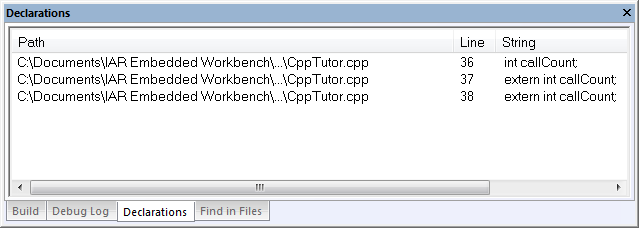
This window displays the result from the Go to Declaration command on the editor window context menu.
When opened, this window is by default grouped together with the other message windows.
To find and list declarations for a specific symbol, select a symbol in the editor window, right-click and choose Go to Declaration from the context menu. All declarations are listed in the Declarations window.
Double-click an entry in the window to open the corresponding file with the insertion point positioned at the correct location. Choose Edit>Next Error/Tag or press F4 to jump to the next in sequence.
Context menu
This context menu is available:

These commands are available:
- Copy
Copies the contents of the window.
- Select All
Selects the contents of the window.
- Clear All
Deletes the contents of the window.