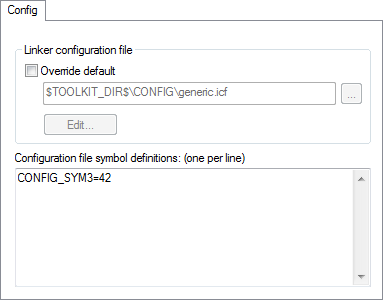
The Config options specify the path and name of the linker configuration file and define symbols for the configuration file.
Linker configuration file
A default linker configuration file is selected automatically based on your project settings. To override the default file, select Override default and specify an alternative file. Alternatively, click the Edit button to open the dedicated linker configuration file editor, see Linker Configuration File Editor dialog box.
The argument variables $TOOLKIT_DIR$ or $PROJ_DIR$ can be used for specifying a project-specific or predefined configuration file.
Configuration file symbol definitions
Define constant configuration symbols to be used in the configuration file. Such a symbol has the same effect as a symbol defined using the define symbol directive in the linker configuration file.