Select C-STAT Checks dialog box
The Select C-STAT Checks dialog box is available from the C-STAT Static Analysis options page.
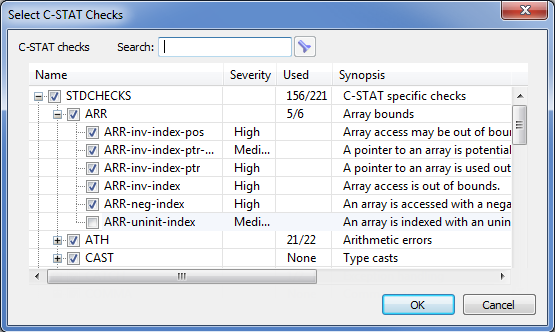
Use this dialog box to specify the checks to include during a C-STAT static analysis. You can select packages or groups of checks, or individual checks to perform by selecting the corresponding check boxes.
For reference information about individual checks, select a check and press F1 to open the context-sensitive help.
- Search
Type a text string to be used as a filter.
- Name
Lists all packages, groups, and checks. Select the ones you want to perform.
- Severity
Shows the severity for each check, which can be High, Medium, or Low.
- Used
Shows how many of the checks in the package or group that will performed during a C-STAT static analysis (only if the package or group actually is selected). The values can be All, None, or the number of selected checks out of the total amount.
- Synopsis
Gives a short description of the packages, groups, and checks.