Call Graph window
What do you want to do?
Learn how to: Finding function calls for a selected function
Get reference information about the Call Graph window, see below the line.

The Call Graph window is available by choosing View>Source Browser>Call Graph.
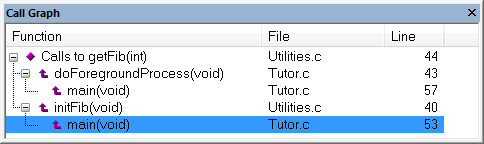
This window displays calls to or calls from a function. The window is useful for navigating between the function calls.
To display a call graph, select a function name in the editor window or in the Outline window, right-click and select Find All Calls to from the context menu.
Double-click an entry in the window to place the insertion point at the location of the function call (or definition, if a call is not applicable for the entry). The editor will open the file that contains the call if necessary.
Context menu
This context menu is available:
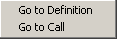
These commands are available:
- Go to Definition
Places the insertion point at the location of the function definition.
- Go to Call
Places the insertion point at the location of the function call.