Briefly about managing projects
In a large-scale development project, with hundreds of files, you must be able to organize the files in a structure that is easily navigated and maintained by several engineers.
The IDE comes with functions that will help you stay in control of all project modules, for example, C or C++ source code files, assembler files, include files, and other related modules. You create workspaces and let them contain one or several projects. Files can be organized in file groups, and options can be set on all levels—project, group, or file.
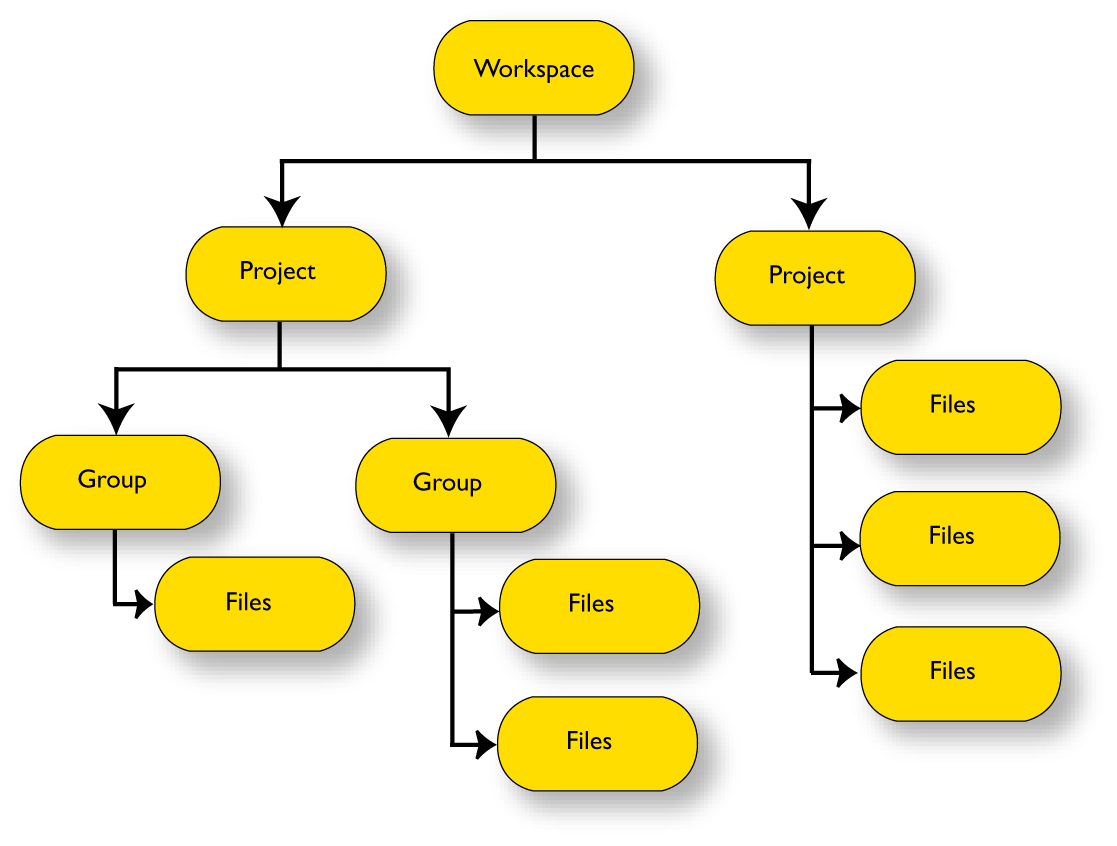
Changes are tracked so that a request for rebuild will retranslate all required modules, making sure that no executable files contain out-of-date modules.
These are some additional features of the IDE:
Project templates to create a project that can be built and executed for a smooth development startup
Hierarchical project representation
Source browser with an hierarchical symbol presentation
Options can be set globally, on groups of source files, or on individual source files
The Make command automatically detects changes and performs only the required operations
Project connection to set up a connection between IAR Embedded Workbench and an external tool
Text-based project files
Custom Build utility to expand the standard toolchain in an easy way
Command line build with the project file as input.