Defining application-specific register groups
Defining application-specific register groups minimizes the amount of registers displayed in the Registers windows and makes the debugging easier.
Choose View>Registers>Register User Groups Setup during a debug session.
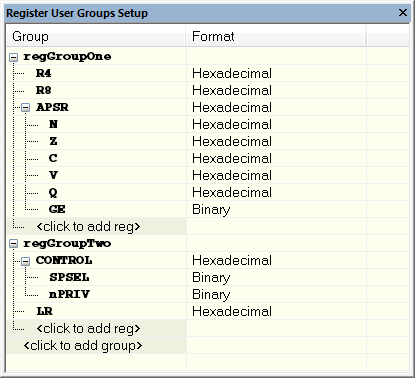
Right-clicking in the window displays a context menu with commands. For information about these commands, see Register User Groups Setup window.
Click on
<click to add group>and specify the name of your group, for example My Timer Group and press Enter.Underneath the group name, click on
<click to add reg>and type the name of a register, and press Enter. You can also drag a register name from another window in the IDE. Repeat this for all registers that you want to add to your group.As an optional step, right-click any registers for which you want to change the integer base, and choose Format from the context menu to select a suitable base.
When you are done, your new group is now available in the Registers windows.
If you want to define more application-specific groups, repeat this procedure for each group you want to define.
Note
If a certain SFR that you need cannot be added to a group, you can register your own SFRs. For more information, see SFR Setup window.