Find in Trace window
In this section:
What do you want to do?
Learn about:
Learn how to:
Get related information:
Get reference information about the Find in Trace window, see below the line.

The Find in Trace window is available from the View>Messages menu. Alternatively, it is automatically displayed when you perform a search using the Find in Trace dialog box or perform a search using the Find in Trace command available from the context menu in the editor window.
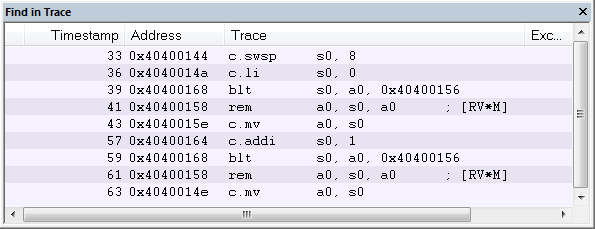
This window displays the result of searches in the trace data. Double-click an item in the Find in Trace window to bring up the same item in the Trace window.
Before you can view any trace data, you must specify the search criteria in the Find in Trace dialog box, see Find in Trace dialog box.