Configurations for project dialog box
In this section:
What do you want to do?
Learn about project management, see Introduction to managing projects
Learn how to: Managing projects
Get reference information about the Configurations for project dialog box, see below the line.

The Configurations for project dialog box is available by choosing Project>Edit Configurations.
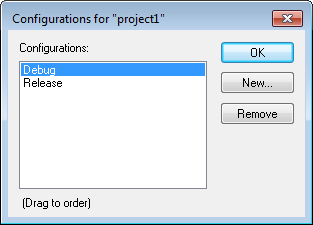
Use this dialog box to define new build configurations for the selected project—either entirely new, or based on a previous project.