Edit Events dialog box
In this section:
The Edit Events dialog box is available from the Emulator menu.
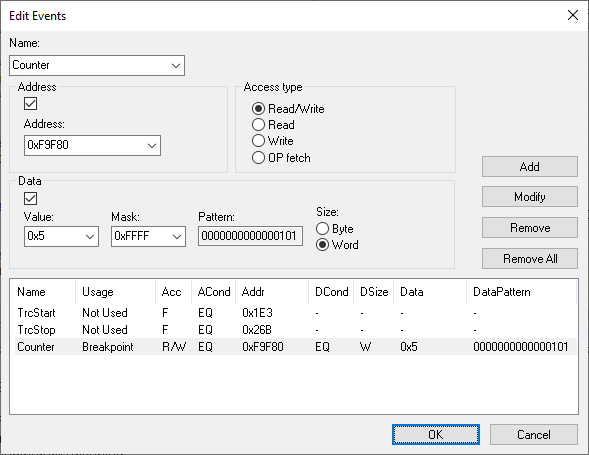
Use this dialog box to define the events used by the emulator as breakpoint, trace, and sequencer events.
In real-time, the emulator compares the address, data, access type, and probe signals with the events that you have defined. When all defined conditions are true, the event is raised.
Each event is uniquely named and listed with its settings at the bottom of the Edit Events dialog box. In the list, the Usage column shows how the event is used, that is, as breakpoint, trace, timer, or sequencer event.