Forced Interrupt window
What do you want to do?
Learn about:
Learn how to:
Get related information:
Get reference information about the Forced Interrupt window, see below the line.

The Forced Interrupt window is available from the C-SPY driver menu.
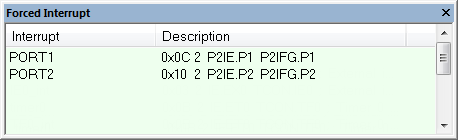
Use this window to force an interrupt instantly. This is useful when you want to check your interrupt logic and interrupt routines. Just start typing an interrupt name and focus shifts to the first line found with that name.
The hold time for a forced interrupt is infinite, and the interrupt exists until it has been serviced or until a reset of the debug session.
To sort the window contents, click on either the Interrupt or the Description column header. A second click on the same column header reverses the sort order.
Enable the interrupt simulation system, see Interrupt Setup dialog box.
Double-click the interrupt in the Forced Interrupt window, or activate it by using the Force command available on the context menu.