Using an external editor
The External Editor options—available by choosing Tools>Options>Editor>External Editor—let you specify an external editor of your choice.
Note
While you are debugging using C-SPY, C-SPY will not use the external editor for displaying the current debug state. Instead, the built-in editor will be used.
Select the option Use External Editor.
On the command line, specify the command to pass to the editor, that is, the name of the editor and its path, for instance:
C:\Windows\NOTEPAD.EXE
To send an argument to the external editor, type the argument in the Arguments field. For example, type
$FILE_PATH$to start the editor with the active file (in editor, project, or messages windows).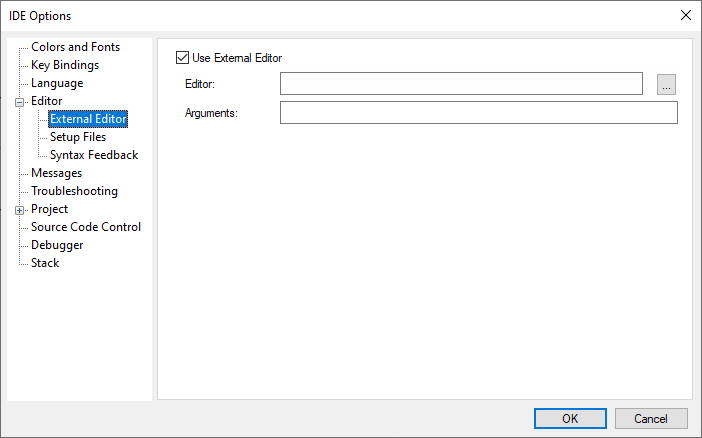
Click OK.
When you double-click a filename in the Workspace window, the file is opened by the external editor.
Variables can be used in the arguments. For more information about the argument variables that are available, see Argument variables.