Symbolic Memory window
What do you want to do?
Learn about:
Learn how to:
Get reference information about the Symbolic Memory window, see below the line.

The Symbolic Memory window is available from the View menu during a debug session.
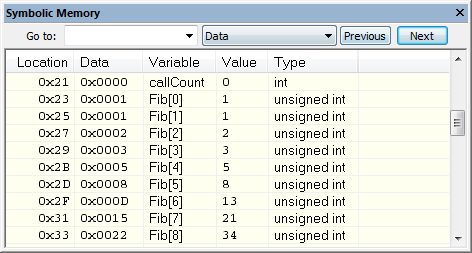
This window displays how variables with static storage duration, typically variables with file scope but also static variables in functions and classes, are laid out in memory. This can be useful for better understanding memory usage or for investigating problems caused by variables being overwritten, for example buffer overruns. Other areas of use are spotting alignment holes or for understanding problems caused by buffers being overwritten.
Tip
To view the memory corresponding to a variable, you can select it in the editor window and drag it to the Symbolic Memory window.
Context menu
This context menu is available:
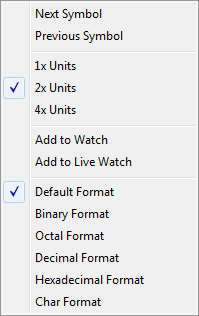
These commands are available:
- 2x Units
Displays the memory contents as 2-byte groups.
- 4x Units
Displays the memory contents as 4-byte groups.
- Add to Watch
Adds the selected symbol to the Watch window.
- Add to Live Watch
Adds the selected symbol to the Live Watch window.
- Default format
Displays the memory contents in the default format.
- Binary format
Displays the memory contents in binary format.
- Octal format
Displays the memory contents in octal format.
- Decimal format
Displays the memory contents in decimal format.
- Hexadecimal format
Displays the memory contents in hexadecimal format.
- Char format
Displays the memory contents in char format.