Get reference information about the Edit Batch Build dialog box see below the line.

The Edit Batch Build dialog box is available from the Batch Build dialog box.
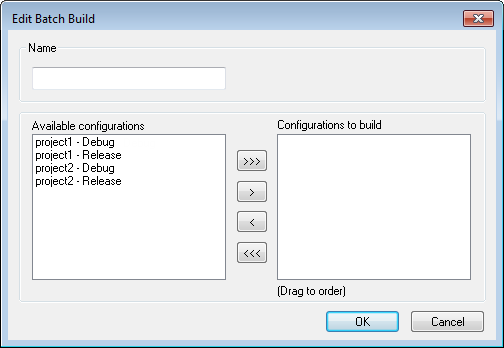
Use this dialog box to create new batches of build configurations, and edit already existing batches.
Name
Type a name for a batch that you are creating, or change the existing name (if you wish) for a batch that you are editing.
Available configurations
Select the configurations you want to move to be included in the batch you are creating or editing, from this list of all build configurations that belong to the workspace.
To move a build configuration from the Available configurations list to the Configurations to build list, use the arrow buttons.
Configurations to build
Lists the build configurations that will be included in the batch you are creating or editing. Drag the build configurations up and down to set the order between the configurations.