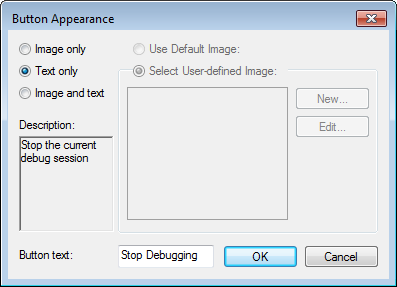
The Button Appearance dialog box is available by right-clicking a toolbar button when the Customize dialog box is open and choosing Button Appearance from the context menu.
Use this dialog box to change the display name of a toolbar button.
Image only
This option has no effect.
Text only
Enables the text box Button text.
Image and text
Enables the text box Button text.
Use Default Image
This option is disabled.
Select User-defined Image
This option is disabled.
New
This button is disabled.
Edit
This button is disabled.
Button text
The display name of the toolbar button. Edit the text to change the name.