Vector Catch dialog box
In this section:
The Vector Catch dialog box is available from the C-SPY driver menu.
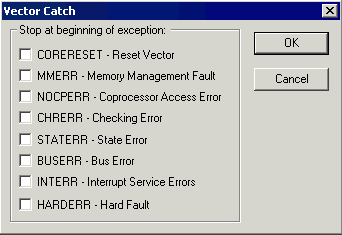
Use this dialog box to set a breakpoint directly on a vector in the interrupt vector table, without using a hardware breakpoint. You can set breakpoints on vectors for Arm9/10/11 and all Cortex devices.
Note that the settings you make here will not be preserved between debug sessions.
This figure reflects a Cortex-M device. If you are using another device, the contents of this dialog box might look different.
Note
For the C-SPY I-jet driver and the C-SPY J-Link/J-Trace driver, it is also possible to set breakpoints directly on a vector already in the options dialog box, see J-Link/J-Trace — Setup.