Debugger Macros window
What do you want to do?
Learn about:
Learn how to:
Get related information:
Get reference information about the Debugger Macros window, see below the line.

The Debugger Macros window is available from the View>Macros submenu during a debug session.
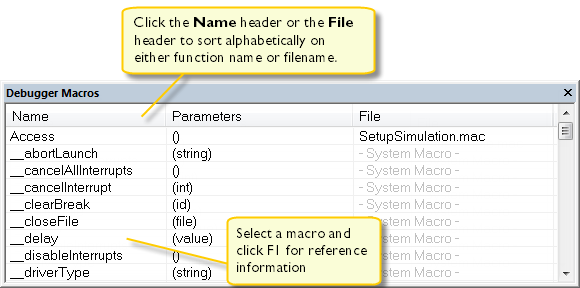
Use this window to list all registered debugger macro functions, either predefined system macros or your own. This window is useful when you edit your own macro functions and want an overview of all available macros that you can use.
Click the column headers Name or File to sort alphabetically on either function name or filename.
Double-clicking a macro defined in a file opens that file in the editor window.
To open a macro in the Macro Quicklaunch window, drag it from the Debugger Macros window and drop it in the Macro Quicklaunch window.
Context menu
This context menu is available:
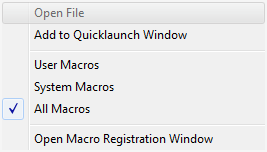
These commands are available:
- Open File
Opens the selected debugger macro file in the editor window.
- Add to Quicklaunch Window
Adds the selected macro to the Macro Quicklaunch window.
- User Macros
Lists only the debugger macros that you have defined yourself.
- System Macros
Lists only the predefined system macros.
- All Macros
Lists all debugger macros, both predefined system macros and your own.
- Open Macro Registration Window
Opens the Macro Registration window.