Macro Quicklaunch window
What do you want to do?
Learn about:
Learn how to:
Get related information:
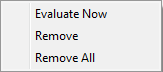
Get reference information about the Macro Quicklaunch window, see below the line.

The Macro Quicklaunch window is available from the View menu.
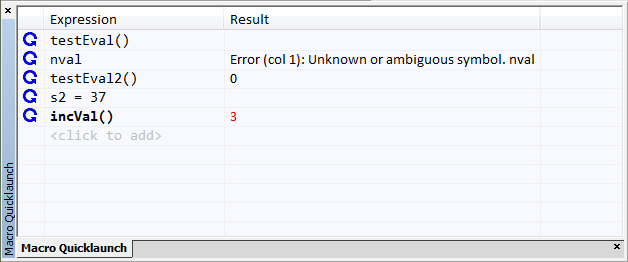
Use this window to evaluate expressions, typically C-SPY macros.
For some devices, there are predefined C-SPY macros available with device support, typically provided by the chip manufacturer. These macros are useful for performing certain device-specific tasks. The macros are available in the Macro Quicklaunch window and are easily identified by their green icon.
The Macro Quicklaunch window is similar to the Quick Watch window, but is primarily designed for evaluating C-SPY macros. The window gives you precise control over when to evaluate an expression.
To add an expression:
Choose one of these alternatives:
Drag the expression to the window
In the Expression column, type the expression you want to examine.
If the expression you add and want to evaluate is a C-SPY macro, the macro must first be registered, see Registering C-SPY macros—an overview.
To evaluate an expression:
Double-click the Recalculate icon to calculate the value of that expression.
Display area
This area contains these columns:
- Recalculate icon
To evaluate the expression, double-click the icon. The latest evaluated expression appears in bold style.
- Expression
One or several expressions that you want to evaluate. Click
<click to add>to add an expression. If the return value has changed since last time, the value will be displayed in red.
- Result
Shows the return value from the expression evaluation.