Terminal I/O Log File dialog box
In this section:
What do you want to do?
Learn about:
Get related information:
Get reference information about the Terminal I/O Log File dialog box, see below the line.

The Terminal I/O Log File dialog box is available by choosing Debug>Logging>Set Terminal I/O Log File.
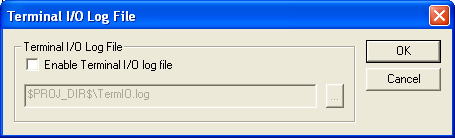
Use this dialog box to select a destination log file for terminal I/O from C-SPY.