Terminal I/O window
What do you want to do?
Learn about:
Get related information:
Get reference information about the Terminal I/O window, see below the line.

The Terminal I/O window is available from the View menu.
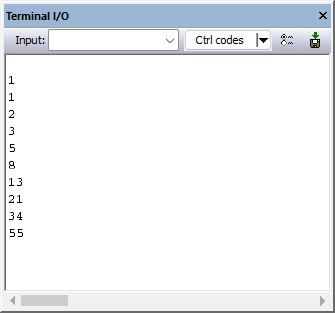
Use this window to enter input to your application, and display output from it.
Link your application with the option Semihosted or IAR breakpoint.
C-SPY will then direct
stdin,stdoutandstderrto this window. If the Terminal I/O window is closed, C-SPY will open it automatically when input is required, but not for output.
The following possibilities for using Terminal I/O in real time apply:
Device | Description |
|---|---|
Cortex-M | The |
Arm7/Arm9, including Armxxx-S, and when using the C-SPY J-Link/J-Trace driver | DCC can be used for Terminal I/O output by adding the file In this case, you can disable semihosting which means that the breakpoint it uses is freed for other purposes. To disable semihosting, choose General Options>Library Configuration>Library low-level interface implementation>None. |
Toolbar
- Input
Type the text that you want to input to your application.

Opens the IDE Options dialog box where you can set options for terminal I/O. For information about the options available in this dialog box, see Terminal I/O options.

Opens the Terminal I/O Log File dialog box, where you can configure and toggle logging on/off, see Terminal I/O Log File dialog box.