Organizing windows on the screen
In this section:
Use these methods to organize the windows on your screen:
To disconnect a tabbed window from a tab group and place it as a separate window, drag the tab away from the tab group.
To make a window or tab group floating, double-click on the window’s title bar.
When dragging a window to move it, press Ctrl to prevent it from docking.
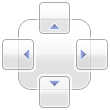
To place a window in the same tab group as another open window, drag the window you want to relocate and drop it on the other window. Drop it on one of the arrow buttons of the organizer control, to control how to dock it.
See also The layout of the windows on the screen.