Options : Secure Install
The Options>Secure Install category is available by clicking Options and selecting the Secure Install tab.
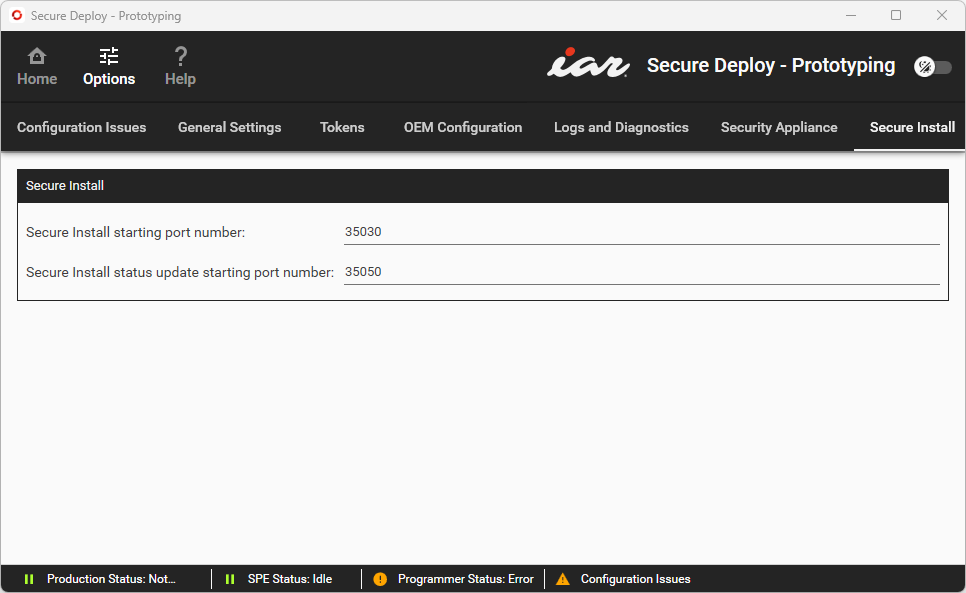
Use this category to control which ports on the Security Appliance to use for the Secure Install functionality. Each programming head generates a pair of entries on this page. These ports are set automatically. They will only need to be changed in the case of interference from other TCP interfaces. For information about Secure Install, see Secure Install.
Secure Install starting port number | This is the communication port on the Security Appliance that is used by the Secure Install functionality. Change the port number if you experience interference from other TCP interfaces. |
Secure Install status update starting port number | This is the communication port on the Security Appliance that is used by the Secure Install functionality for status updates. Change the port number if you experience interference from other TCP interfaces. |