Importing a product package
In this section:
For a description of how to create a package using the Export Direct to Production command in an Embedded Trust-enabled IAR Embedded Workbench installation, see the IAR Embedded Trust User Guide. For instructions on how to use the OrBIT command line application to create a product package, see the OrBIT User Guide.
How to import a product package:
Start the IAR Secure Deploy – Prototyping application, if it is not already running.
In the Home view (the default view of the program window), click the button with the + icon.
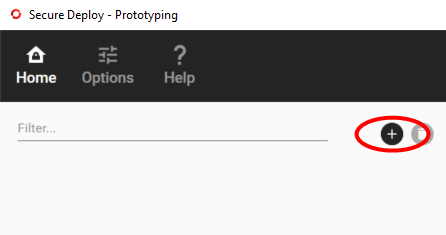
Navigate to the product package and import it.
Inspect the details, see Product Details under Home view.